Bonesmith
A downloadable tool for Windows, macOS, and Linux
Bonesmith
2D skeletal animation for games, from modern engines to the Mega Drive.
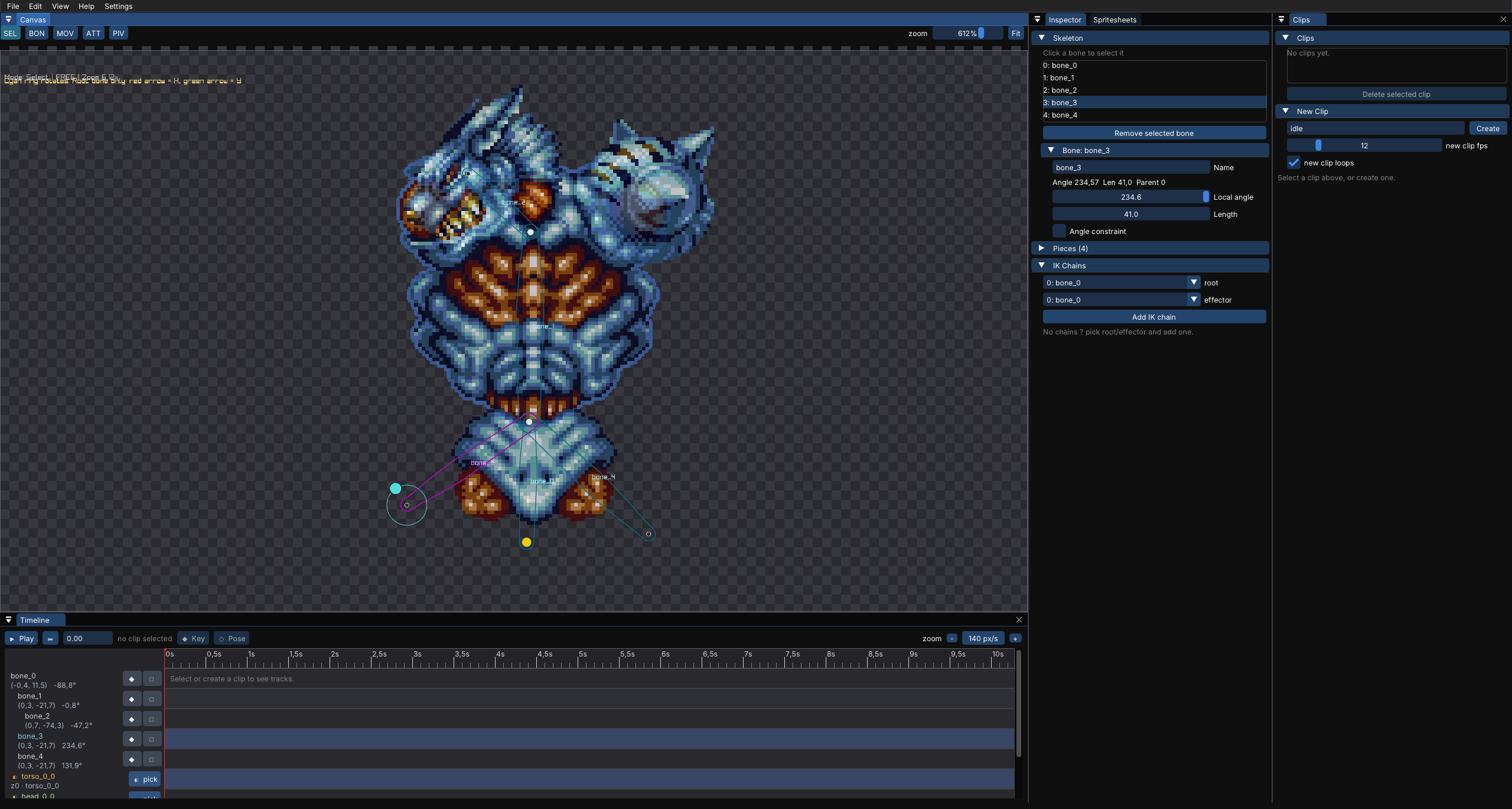
Bonesmith is a 2D skeletal animation editor that doesn't care what engine you use. Build a skeleton, attach your sprites, pose it, and animate it. Export to JSON and load it however you like. It's made for games, and it's built to stay out of your pipeline.
What it does
- Bone hierarchies with sprites attached to each bone
- Timeline-based posing and animation with live preview
- Inverse kinematics (IK) for feet, hands, tails and similar
- Clean JSON export that's easy to parse in any language or engine
- Windows, Linux and (experimental) macOS builds
Prerotated sprites for hardware that can't rotate
What it doesn't do (yet)
There's no mesh deformation for now. Bonesmith is rigid-part skeletal animation: sprites follow bones, and they don't bend or warp.
Who it's for
Developers with their own engine or runtime, retro and homebrew developers, and anyone who wants animation data without being tied to a particular editor ecosystem.
How to run
No installation or .NET runtime is needed, since everything is included. Keep all the files in the folder together.
Windows
- Download the
win-x64zip and extract it anywhere. - Open the extracted folder and run
Bonesmith.exe. - The build is unsigned, so SmartScreen may warn you. Click "More info", then "Run anyway".
Linux
- Download the
linux-x64tar.gz and extract it:tar xzf Bonesmith-*-linux-x64.tar.gz
- Go into the folder and run it:
cd Bonesmith-*-linux-x64
./Bonesmith
- If it won't start, run
chmod +x Bonesmithfirst. - You need a working OpenGL setup. If file dialogs don't open, try installing
zenity.
macOS (experimental)
- Download the
osx-arm64build for Apple Silicon (M1 and later), orosx-x64for Intel Macs, and extract it. - The app isn't signed or notarized, so macOS will block it the first time. Double-click
Bonesmith, then dismiss the warning dialog. - Open System Settings → Privacy & Security, scroll down, and click Open Anyway next to Bonesmith. Confirm with Open. You only need to do this once.
- Alternatively, remove the quarantine flag in Terminal, then run the app:
cd Bonesmith-*-osx-arm64
xattr -cr .
chmod +x Bonesmith
./Bonesmith
Status
Bonesmith is in active development. Expect rough edges, and please report bugs and ideas in the comments.
Built with .NET, raylib and Dear ImGui.
Download
Click download now to get access to the following files:
Comments
Log in with itch.io to leave a comment.
Muy bueno